See what you did today

Private, automatic time tracker for Windows. Rememb quietly records your day, so you never forget it again.

  • No card
  • No account
  • 7-day trial
  • One-time purchase
0:000:00

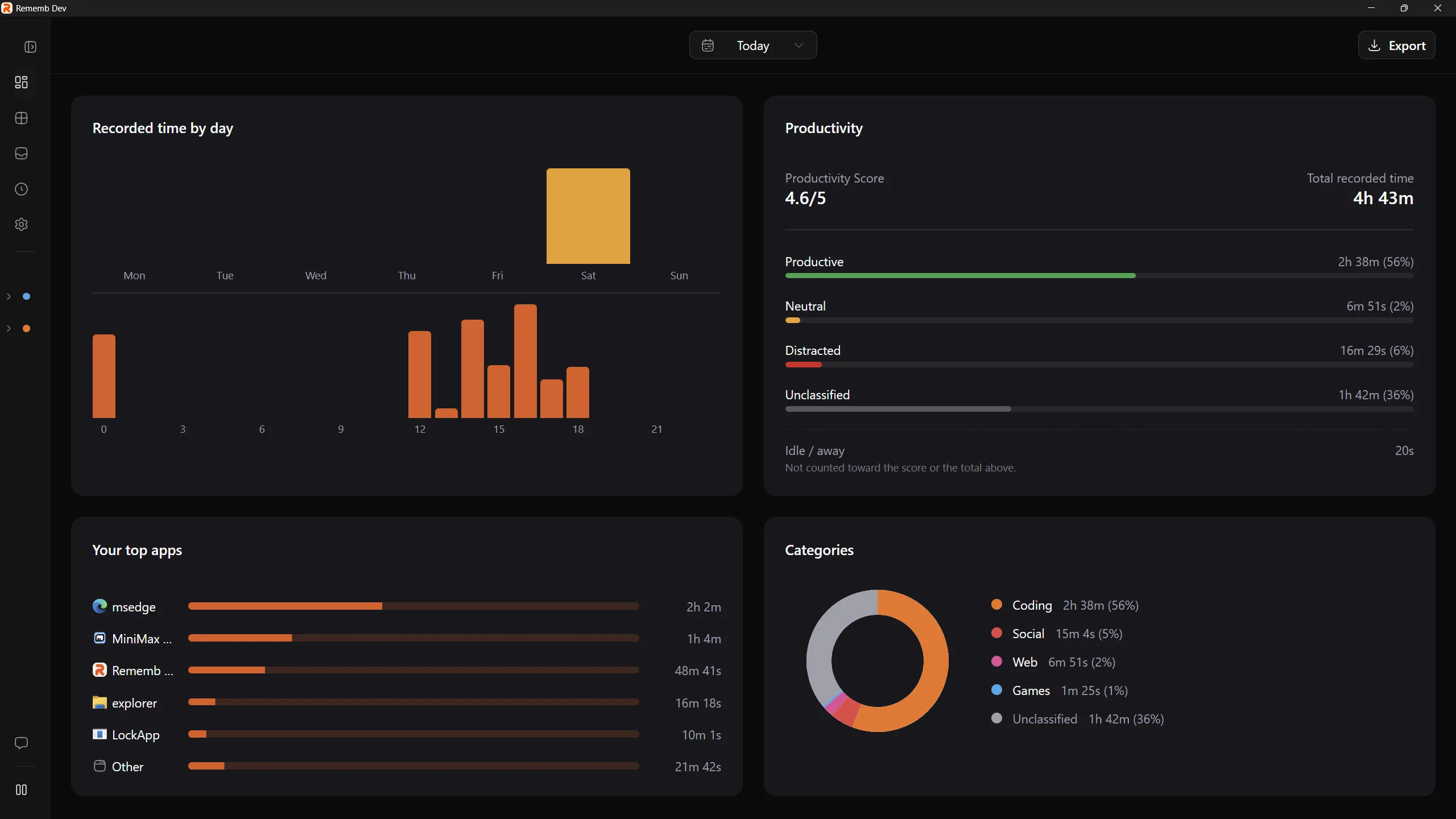
A screen recording of Rememb running on Windows. The dashboard shows recorded time by day, a productivity score out of five split into productive, neutral, distracted and unclassified time, the top used apps ranked by total time, and a category donut breaking the day into coding, games, social and web. Every number is read from local storage on that machine.

Dashboard preview

The Rememb dashboard for a full week. Recorded time by day runs Monday through Sunday beside a productivity score out of five, broken into productive, neutral, distracted and unclassified time. Below, the applications used most that day are ranked by total time, and a category donut splits the same day into coding, games, social, web and unclassified.

Dashboard

Your whole week on one screen. Waiting to be seen

  • Top apps by total time
  • Break by category
  • Visible productivity
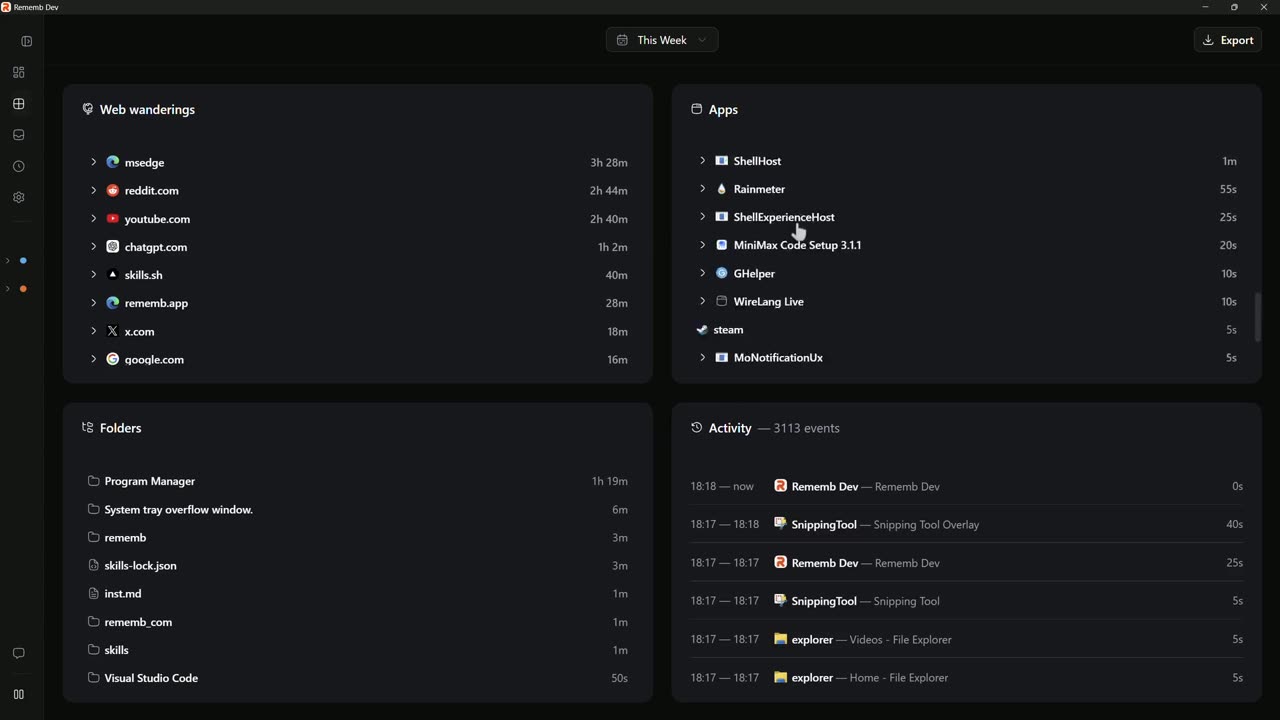
All activity view

The All activity screen lists every application window recorded on the machine, grouped into web wanderings, applications, folders and a chronological activity feed. Each entry names the application and shows how long it held the foreground, so the whole day can be reviewed, searched and filtered.

All activity

The complete log of your work. Every window shows up with sub-events, so you can open one and see all details

  • Every app and window
  • Split into sections
  • Organize with the mouse
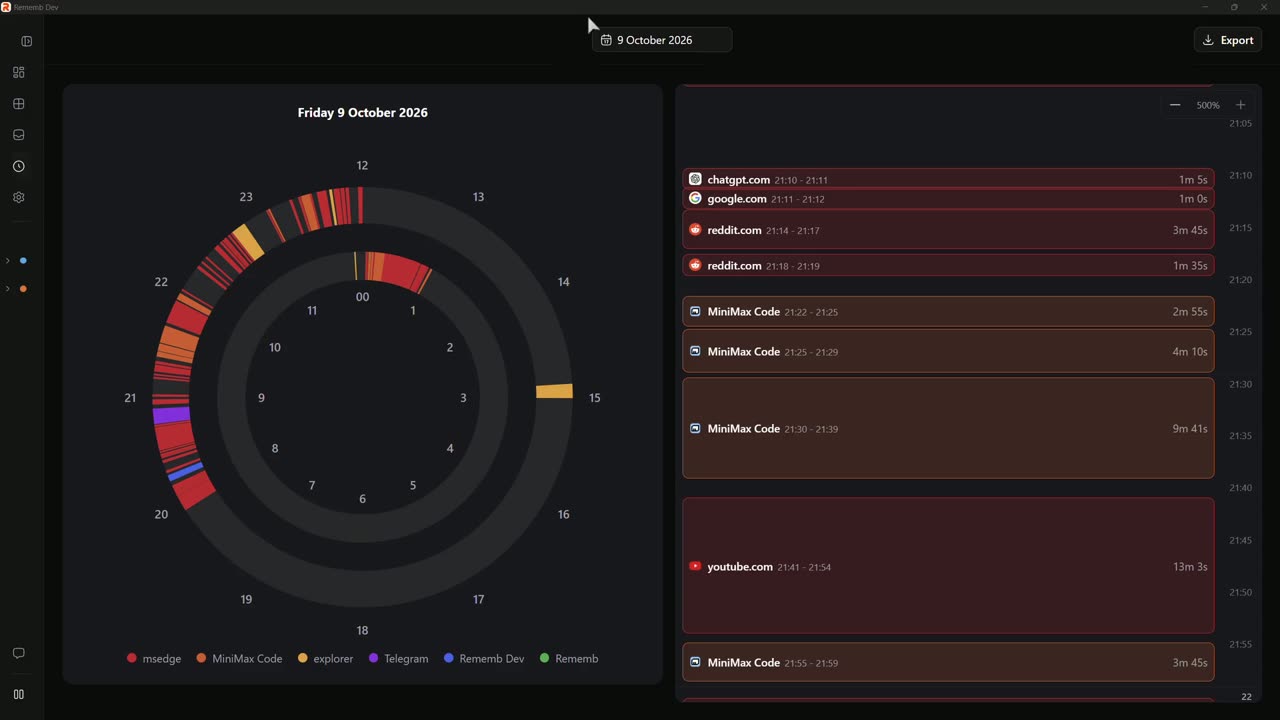
Timeline view

The Timeline screen shows one day as a clock face. Each colored segment is an application you used, placed at the hour and minute it opened, with a legend naming every application. Selecting a time range reveals the detailed list beside the clock, so any moment of the day can be replayed and inspected.

Timeline

Whole day as a clock. Browse your activity and spot the patterns over time.

  • Rewind any day
  • Chronological detail
  • My favorite page :p
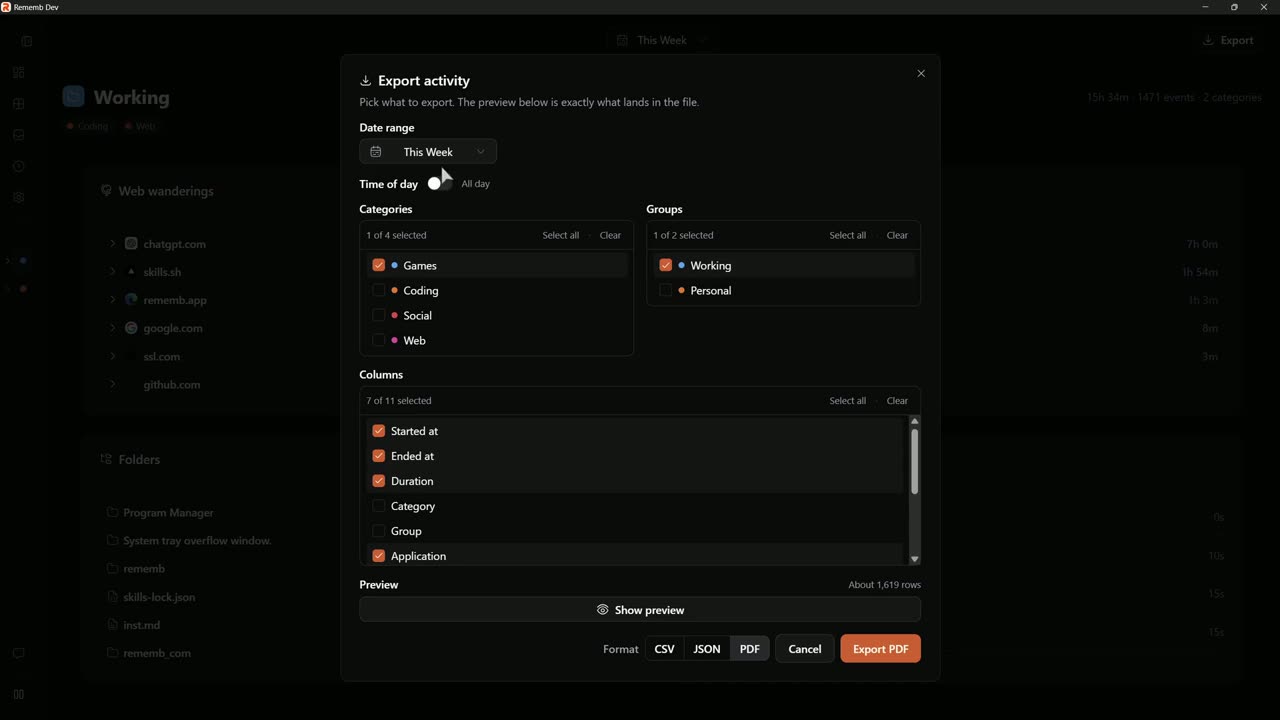
Export screen — download your full history as CSV, JSON or PDF

The Export screen is how you take your history off the machine. Pick a date range and a time of day, choose which categories, groups and columns to include, then preview the exact rows before downloading. The full history can be saved as CSV, JSON or PDF for any period you choose.

Export

Highly customizable history. Pick the columns and export everything, in one click.

  • CSV, JSON or PDF
  • Any date range
  • Preview before you download
Show my day

7-day trial. No card or account required

All your day, 3 steps away

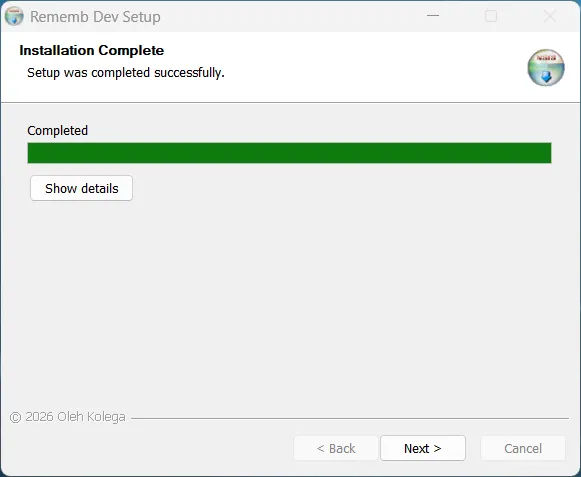
  1. Rememb installer finishing — Installation Complete, setup was completed successfully

    1. Install

    Download Rememb and run the installer. No account or card needed — that's it.

  2. App grid — the applications you used today, shown as their icons

    2. Use your device

    Keep working as always. Rememb lives in the background, records what you do, and takes a coffe break with you :)

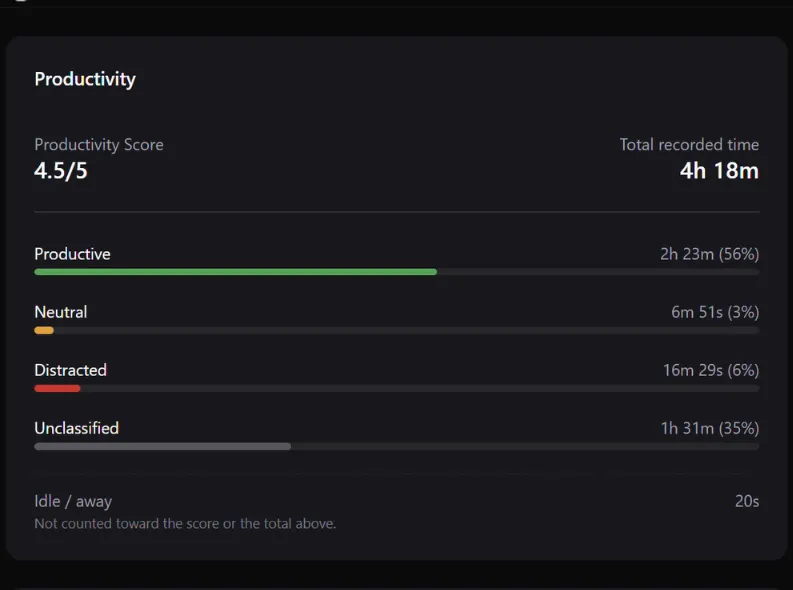
  3. Productivity dashboard — productivity score and total recorded time for the day, split into productive, neutral, distracted and unclassified

    3. See your day

    Open the dashboard whenever you want. All your activity will be here, waiting for review.

What gets recorded

Here you can see what Rememb captures. Anyway, your data stays local.

WhatStatus
Activity tracking
App / process name (e.g. "Firefox")
Yes
Window title (whatever the OS reports)
Yes
Time you spend in each app + start/end timestamps
Yes
Content & sensors
Keystrokes (what you type)
No
Screenshots of your screen
No
Microphone audio
No
Webcam video
No
Clipboard contents
No
Web
Browser app name (e.g. "Firefox")
Yes
Browser window title (often the page title)
Yes
Full URL from the address bar
Yes
Page text, cookies, login state
No
Files
File names shown in window titles (e.g. "report.docx — Word")
Yes
File contents or documents you open
No
Privacy Mode
Incognito / InPrivate browser windows
Privacy Mode
Windows matching sensitive patterns (banking, health)
Privacy Mode

Full details in our Privacy Policy. Read the full policy →

Show my day

7-day trial. No card or account required

Oleh, solo builder of Rememb

Why I built Rememb

Hello rider, Founder is here. Im a student in Poland and most of my day I spend in laptop.

— Oleh Kolega, Founder of Rememb

Pay once. Keep it forever.

Forget about subscriptions

1 device

For a single device. One activation.

$29USD

One-time. No subscription.

  • License key, issued instantly
  • Automatic tracking
  • Records all apps
  • Customizable export
  • Works offline
  • Fully local
Get Rememb — 1 device
Popular

2 devices

For a desktop and a laptop. Two activations.

$49USD

One-time. No subscription.

  • License key, issued instantly
  • Automatic tracking
  • Records all apps
  • Customizable export
  • Works offline
  • Fully local
Get Rememb — 2 devices

3 devices

For your desktop, laptop and more. Three activations.

$69USD

One-time. No subscription.

  • License key, issued instantly
  • Automatic tracking
  • Records all apps
  • Customizable export
  • Works offline
  • Fully local
Get Rememb — 3 devices
Show my day

7-day trial. No card or account required

Answers to your questions

Still here? Grab the trial.

See your day or keep forgeting it

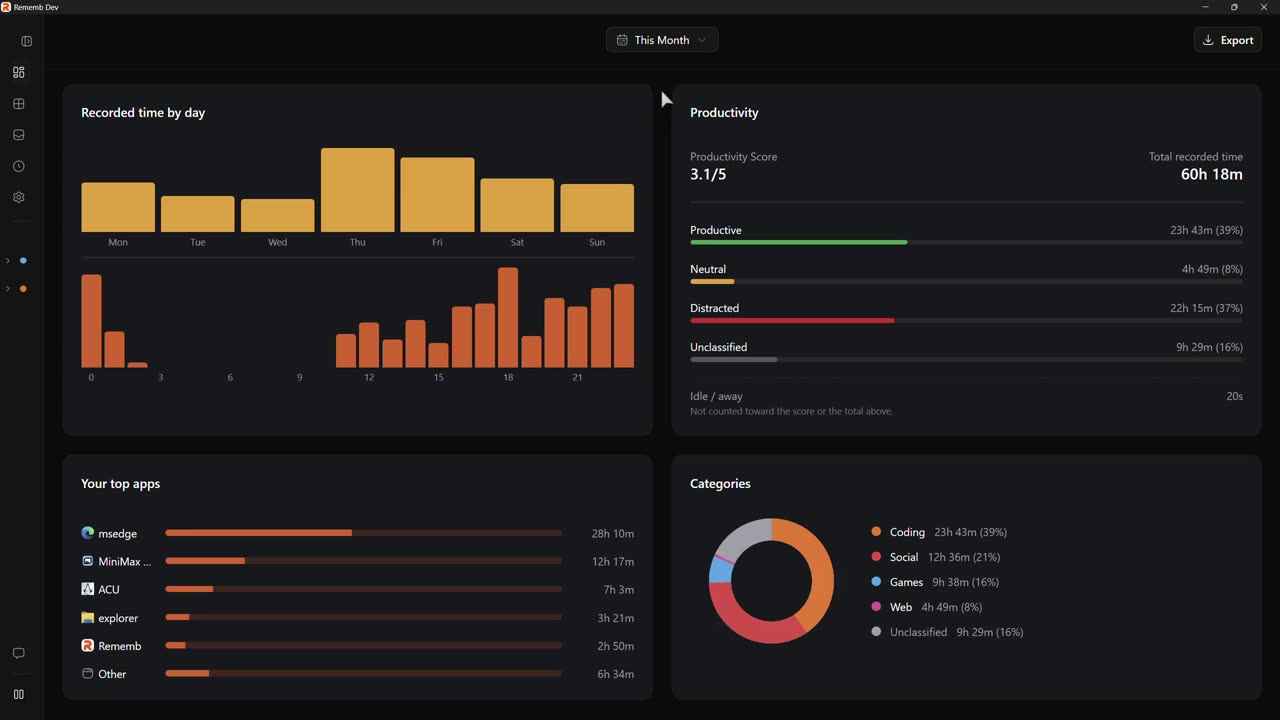
Rememb dashboard showing recorded time by day across a full week, with a productivity score, top apps and a category breakdown
Show my day

7-day trial. No card or account required